TL;DR
Single mode fiber (OS2 9/125) reaches kilometers, pairs with UPC/APC adapters, and is used for backbones, metros, and FTTH. Multimode fiber (OM3/OM4 50/125) reaches a few hundred meters, pairs with UPC duplex adapters, and suits short high-bandwidth links inside a data center or building. When you pick a single mode vs multimode fiber patch panel, match the fiber, the adapter polish, and the transceiver — the panel chassis looks the same but the fiber and adapters are not interchangeable.
Single Mode vs Multimode Fiber Patch Panel: How to Choose the Right One
By Jergeo Engineering Team | Updated October 2026 · 8 min read
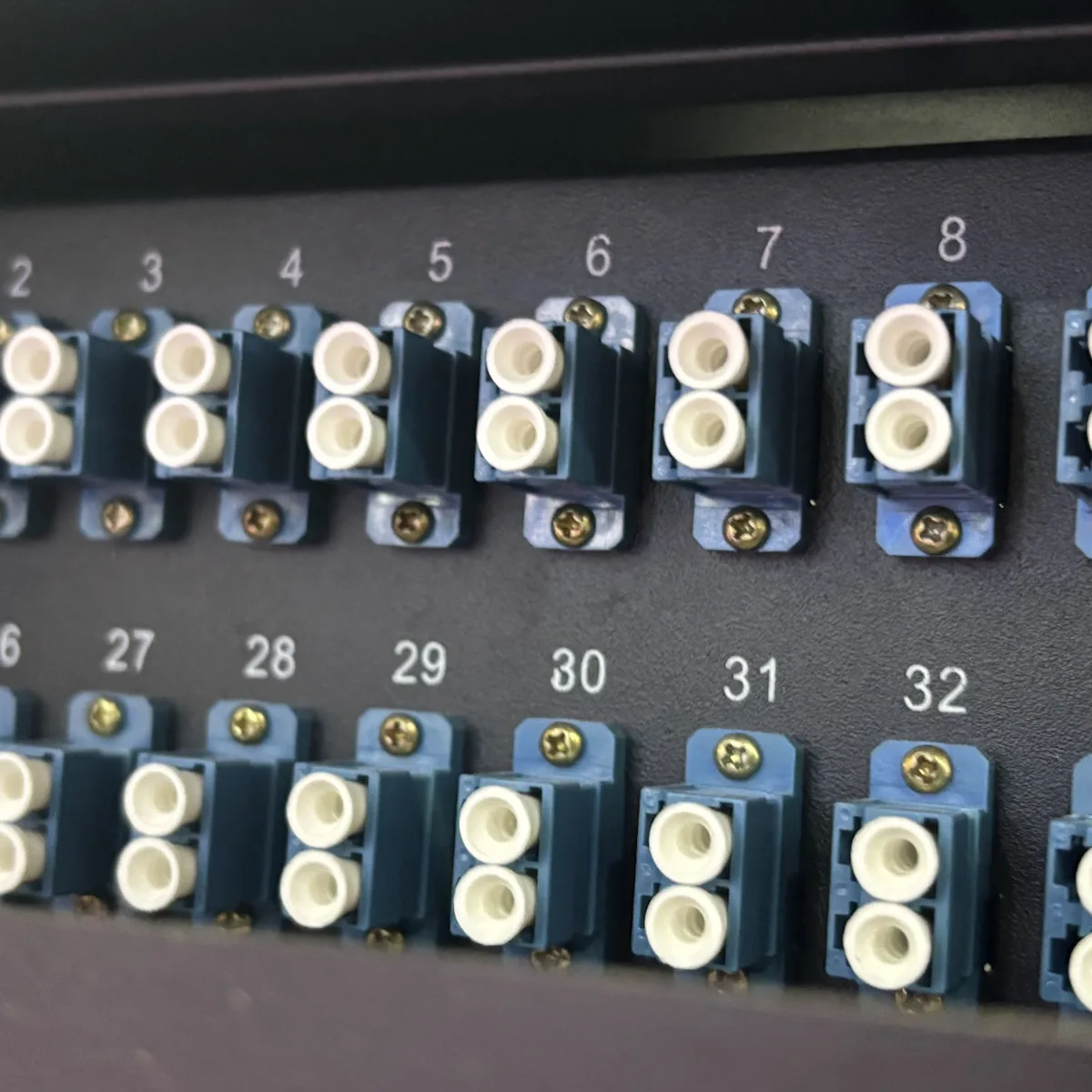
Fiber networks run on two fiber types: single mode and multimode. Before you spec a patch panel, you need to know which one your links actually use, because a single mode vs multimode fiber patch panel is not the same box once you look at the fiber and the adapters.
Summary
A single mode vs multimode fiber patch panel decision comes down to reach and optics. Single mode (OS2) reaches kilometers and carries long-reach backbones, metros, and FTTH; multimode (OM3/OM4) reaches a few hundred meters and suits short, high-bandwidth links inside data halls and buildings. Match the fiber, the adapter polish, and the transceiver to the same mode.
A single mode fiber patch panel sits at the end of OS2 9/125 µm fiber — the long-reach workhorse that carries coherent and coarse WDM signals across campuses, metros, and FTTH routes. A multimode fiber patch panel is the short-reach option, built around OM3 or OM4 50/125 µm fiber, and it is the typical choice inside a single data hall where links stay well under a few hundred meters.
The choice is not cosmetic. It sets your reach, your bandwidth headroom, and your transceiver budget for the life of the install. This guide walks through the real differences and how to pick the right one.
The physical difference: core diameter and wavelength
When you compare a single mode vs multimode fiber patch panel, the single biggest difference is the glass core that light travels through — and that core sets everything else, from reach to connector math.
- Single mode: OS2 fiber has a 9 µm core and runs at 1310 nm and 1550 nm. The tiny core keeps the light on a single path, which is why single mode reaches far without dispersion blurring the signal.
- Multimode: OM3/OM4 fiber has a 50 µm core and runs at 850 nm and 1300 nm. The larger core lets many light paths (modes) travel at once, which is great for short, high-speed links but limits reach because the modes arrive at slightly different times.
Reach: the deciding factor
Reach is the practical question that decides a single mode vs multimode fiber patch panel for most buyers:
- Single mode: tens of kilometers at 10G, far more with coherent optics. This is the only realistic choice for campus backbones, metro rings, long FTTH feeder runs, and anything outside a single building.
- Multimode: roughly 300 m at 10G on OM3 and about 400 m on OM4, dropping sharply at 40G/100G. Inside one data center hall or one building, multimode is usually enough and cheaper.
Adapters and polish: match both to the fiber
The patch panel chassis for single mode and multimode looks nearly identical; the real hardware difference is the adapter plate and polish.
| Parameter | Single Mode | Multimode |
|---|---|---|
| Fiber | OS2, 9/125 µm | OM3/OM4, 50/125 µm |
| Wavelength | 1310 / 1550 nm | 850 / 1300 nm |
| Typical reach | km to tens of km | 300–400 m |
| Polish | UPC or APC | UPC or PC |
| Best for | Backbone, metro, FTTH | Data hall, building LAN |
Cost: it is the optics, not the panel
A common misconception is that a single mode fiber patch panel costs a premium over a multimode one. In practice both are passive sheet-metal and adapter assemblies at similar price. The budget difference shows up downstream:
- Multimode optics are cheaper: short-reach VCSEL transceivers cost less than single-mode lasers, which is why multimode wins inside a data hall.
- Single mode pays off on reach and longevity: long-reach and WDM optics cost more, but one single-mode plant can carry multi-generational rate upgrades without re-cabling.
Mixing both in one network
Most real networks are hybrid. A long-reach backbone usually runs single mode, while the last hop to servers inside a building often runs multimode. This is exactly where modular panels earn their keep: a chassis like the JODF-U1 accepts modular adapter plates, so you can install single-mode adapters on one patch group and multimode adapters on another, clearly labelled. As long as each patch cord, adapter, and transceiver match within a link, mixing modes across groups is standard practice.
How to decide for your single mode vs multimode fiber patch panel
Use this decision checklist:
- Link reach over ~400 m, or planned to grow: go single mode. It handles campus, metro, and FTTH without re-cabling.
- Short links inside one building or hall: multimode is usually enough and keeps optics cheaper.
- Future-proofing a backbone that must last decades: single mode is the safer bet.
- Mixed reach requirements: a modular panel that takes both adapter types in one chassis.
When in doubt, err toward single mode for anything that might one day need to cross a campus, a metro, or an FTTH feeder. The panel cost is roughly the same; the reach and upgrade headroom are not.
Related Products
Related Articles

Fiber Optic Patch Panel Guide
Port count, connector types, and density options when selecting a patch panel.
Read Article →
MPO vs LC Patch Panel
High-density MPO vs LC adapter configurations for data center patch panels.
Read Article →
Rack Mount vs Wall Mount Patch Panel
Which installation type fits your network: density, space, and expansion.
Read Article →References
Key takeaway
Single mode (OS2) reaches kilometers and is the choice for backbones, metros, and FTTH; multimode (OM3/OM4) reaches a few hundred meters and suits short high-bandwidth links. Match the fiber, adapter polish, and transceiver to the same mode, and pick a modular panel if you need to run both in one network.
Related products